


Airspeed works inside Slack in four ways: it preps you before a call, keeps a channel current for every live deal, answers questions in thread from your team’s full call history, and posts recaps to the channels that need them.
Reps already live in Slack. The deal chatter, the questions, and the “quick, what do we know about this account?” all happen there. So Airspeed sits where the work does, rather than in another tab to check. You mention it mid-thread and get an answer backed by every call your team has recorded. Here are the four ways to put it to work.
1. Pre-meeting prep, done before you dial
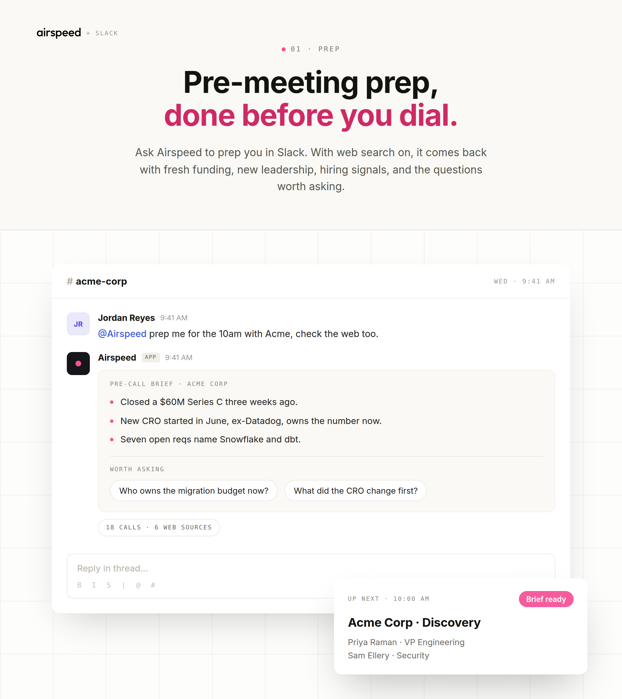
Ask Airspeed in Slack to prep you for your next call and the brief comes back before you join. With web search on, it goes after the signals that actually move a conversation: fresh funding, a newly hired CRO or VP of Sales, and what the open job postings say about the stack the team is building toward. Ask Airspeed has had access to live internet data since June 2025, so the brief is not limited to what is already sitting in your CRM.
What comes back is short: a few lines on what changed at the account, then a handful of discovery questions worth asking. Prep also arrives on its own. Connect your Google or Outlook calendar in Airspeed settings, pick Slack in your notification preferences, and a prep sheet lands shortly before any meeting with external participants that you have not declined.
2. A deal room per opportunity
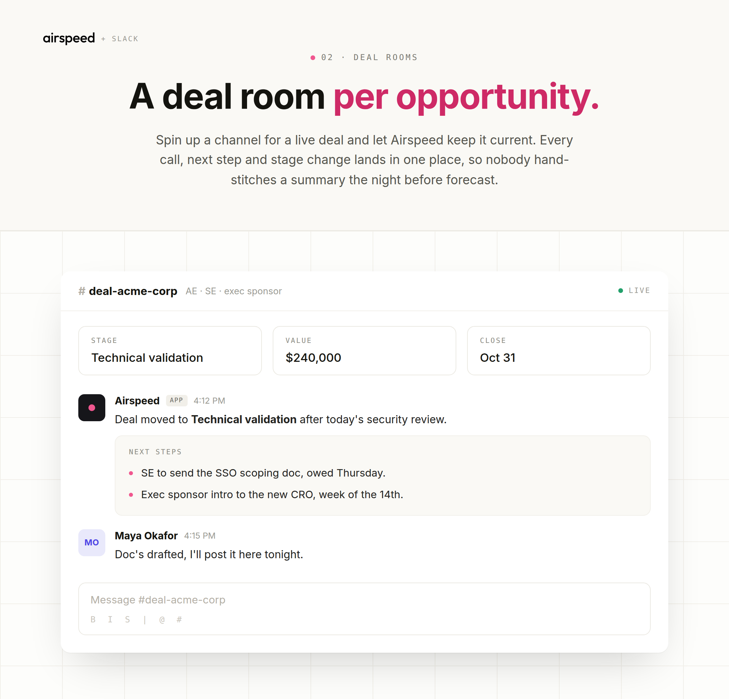
Spin up a Slack channel for a live deal and let Airspeed keep it current. Deal Rooms have been in Slack since July 2024. Open any Company page in Airspeed, click “Link Deal Room”, then create or link a channel. From that point, every call with that company posts a summary there, and anyone in the channel can mention Airspeed to ask about the deal.
The payoff is a single picture. The AE, the SE and the exec sponsor all read the same one, and stage changes, next steps and owners land as they happen. Nobody hand-stitches a summary the night before the forecast call. Routing is not all or nothing either: since July 2026 you can send summaries to as many channels as you need, filtered by participant and call tag.
3. Ask Airspeed anything, without leaving the thread
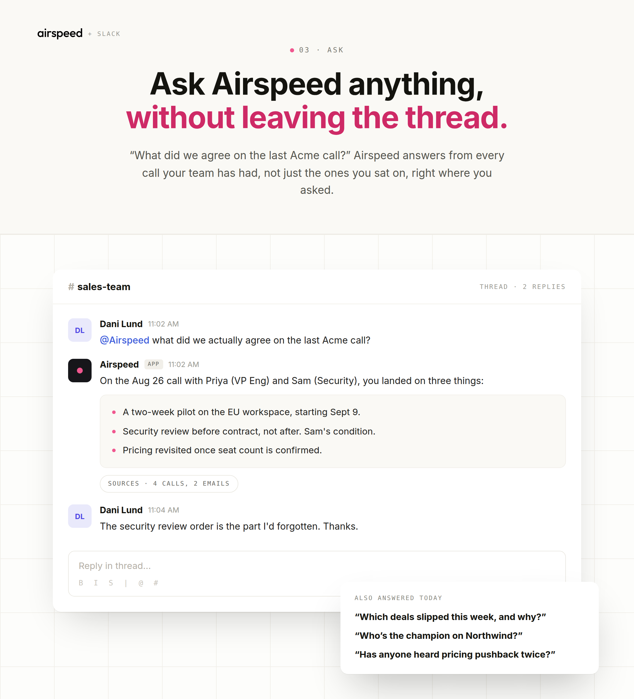
You do not have to leave the thread to get the answer. “What did we actually agree on the last Acme call?” “Which deals slipped this week, and why?” “Who is the champion on this one?” Airspeed answers from the full history of your team’s calls, not just the ones you happened to sit on, and it names the calls it drew on so you can check the source yourself.
Two things make that useful in practice. The answer appears where the question came up, so nobody pastes context back from another tab. And when a question does not belong in a channel, you can DM Airspeed directly and get the same answer between meetings.
4. Loop the team in, automatically
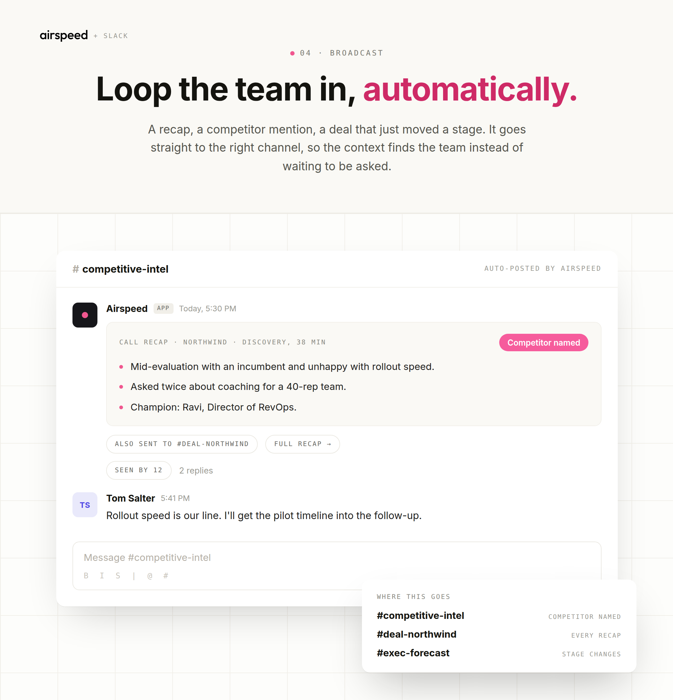
Recaps route themselves. A call summary goes to the deal room, a competitor mention goes to the channel your team watches for competitive intel, and a deal that just moved a stage goes to the channel your leadership reads before forecast. You set the filters once, by participant and call tag, and the context finds the team instead of waiting for someone to ask.
That takes care of the update nobody has time to write twice. The rep who ran the call does not repost it in three places, and the people who need to know see it the same afternoon, while there is still time to act on it. A competitor named on a discovery call is worth more to your team today than in next week’s pipeline review.
What it takes to set up
Four steps, and only the first one needs an admin:
- An Airspeed admin connects your Slack workspace in Airspeed settings.
- Each rep picks Slack for prep notifications in their own settings.
- Link a Deal Room from the Company page of any deal worth its own channel.
- Set the routing for call summaries, filtered by participant and call tag.
None of it asks a rep to log in somewhere new or keep a second system current. The calls get recorded, the CRM gets updated, and Slack is where the team reads the result. For the rest of the stack Airspeed connects to, see integrations.
Want to see it running against your own pipeline? Book a demo and bring a live deal. We will link a deal room to it and show you what lands in the channel after the next call.
Frequently asked questions
Can I use Airspeed without leaving Slack?
Yes. Mention @Airspeed in any channel it has been added to, or send it a direct message, and it answers in the same place you asked. Prep sheets, call summaries and deal updates can all be delivered to Slack, so a rep never has to open the app to get an answer.
Does Airspeed search the web when it preps a call?
Yes. Ask Airspeed has had access to live internet data since June 2025, so a pre-call brief can pull recent funding, leadership changes and open job postings alongside your own call history and CRM record.
What is a Slack deal room in Airspeed?
A Slack channel linked to a company in Airspeed. Open any Company page, click "Link Deal Room", then create or link a channel. Every call with that company posts a summary to it, and anyone in the channel can mention @Airspeed to ask about the deal.
Which channels do call recaps get posted to?
As many as you need. Since July 2026, call summaries can route to multiple Slack channels, filtered by participant and call tag. Enterprise calls can go to one channel, the calls of a single rep to another, and everything to the team feed.
What does it take to set up Airspeed in Slack?
An Airspeed admin connects the Slack workspace once in Airspeed settings. After that, each rep picks Slack for prep notifications, deal rooms are linked per company, and summary routing is set by participant and call tag.


