
← Release notes
🎬✂️ Share Call Snippets
You can now easily share specific moments from your calls! Here’s how: Click Share in the top-right menu on the call page. Go to the Share call snippet tab. Crop the recording to the moment you want to share. Copy...
You can now easily share specific moments from your calls!
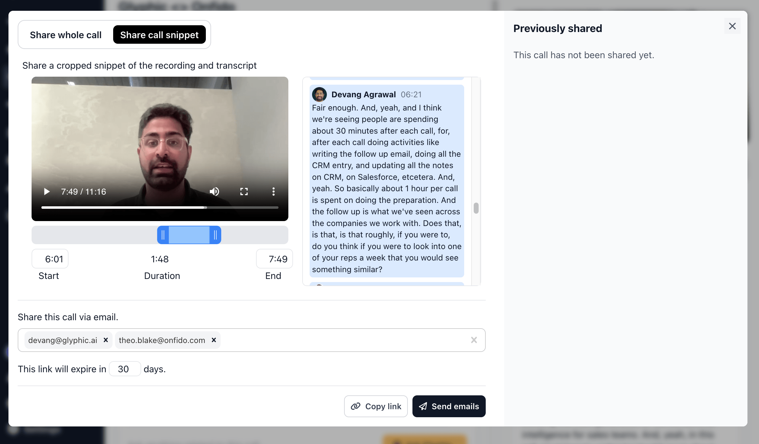
Here’s how:
- Click Share in the top-right menu on the call page.
- Go to the Share call snippet tab.
- Crop the recording to the moment you want to share.
- Copy the link or send it via email.
It’s that simple! You can also still share the entire call, just like before, under Share whole call.
If you have any feedback or other feature requests, feel free to contact our product team at [email protected].