
Airspeed for Slack: deal answers, prep and coaching
Airspeed for Slack
Your sales assistant, right in Slack.
Deal answers when you need them, and follow-ups and handoffs taken care of, without leaving Slack.
New to Airspeed?
The problem
Your team talks in Slack. Your deal context lives everywhere else.
Calls sit in one tool and the CRM in another, while the decisions happen in Slack threads. Reps rebuild the picture before every meeting.
How it works in Slack
Every deal, one message away
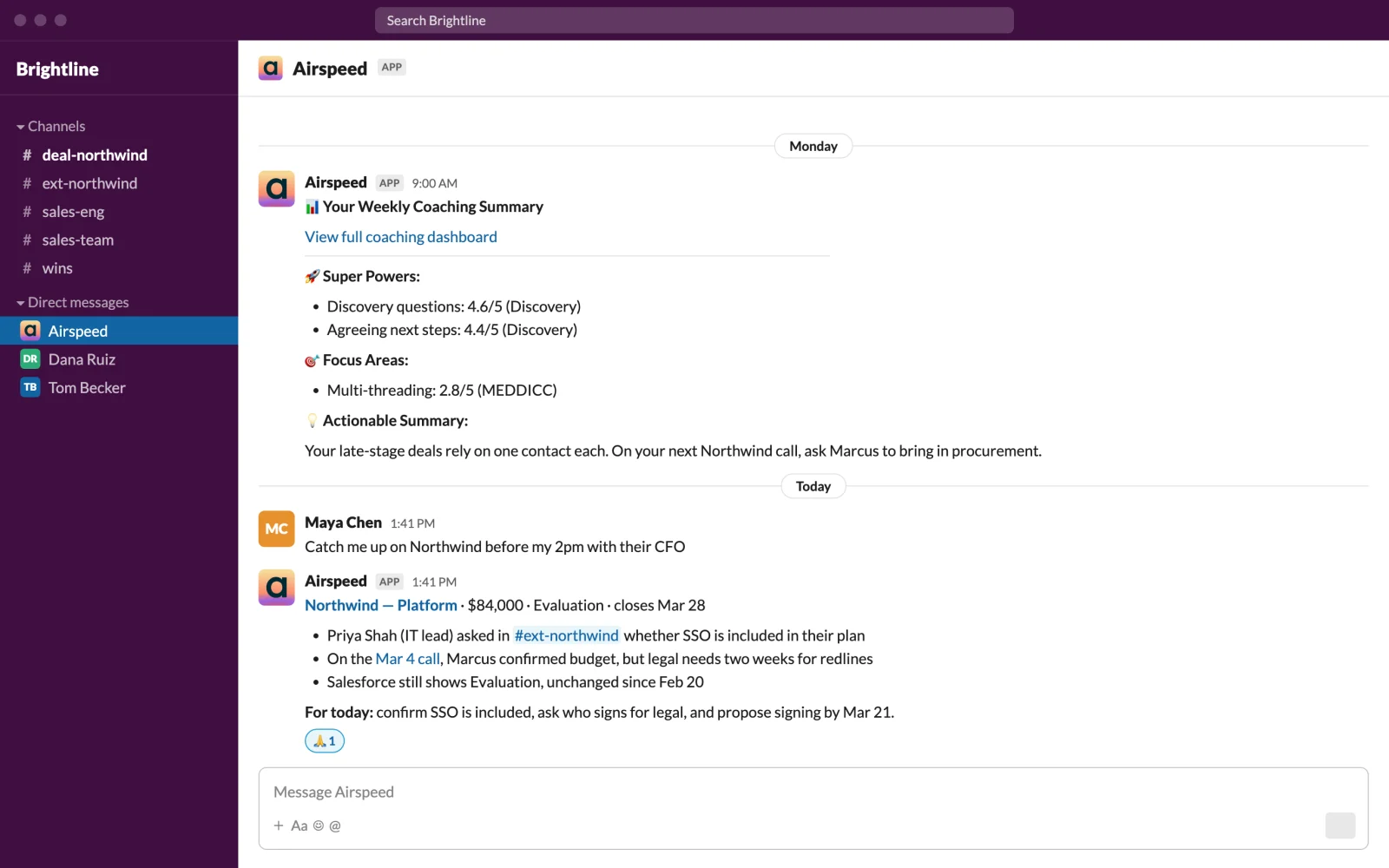
Ask about any deal
DM Airspeed or tag @Airspeed in a thread. Answers draw on your calls, your CRM and your team’s Slack conversations. Airspeed also sends your weekly coaching summary.
Ask it“Catch me up on Northwind before my 2pm with their CFO.”
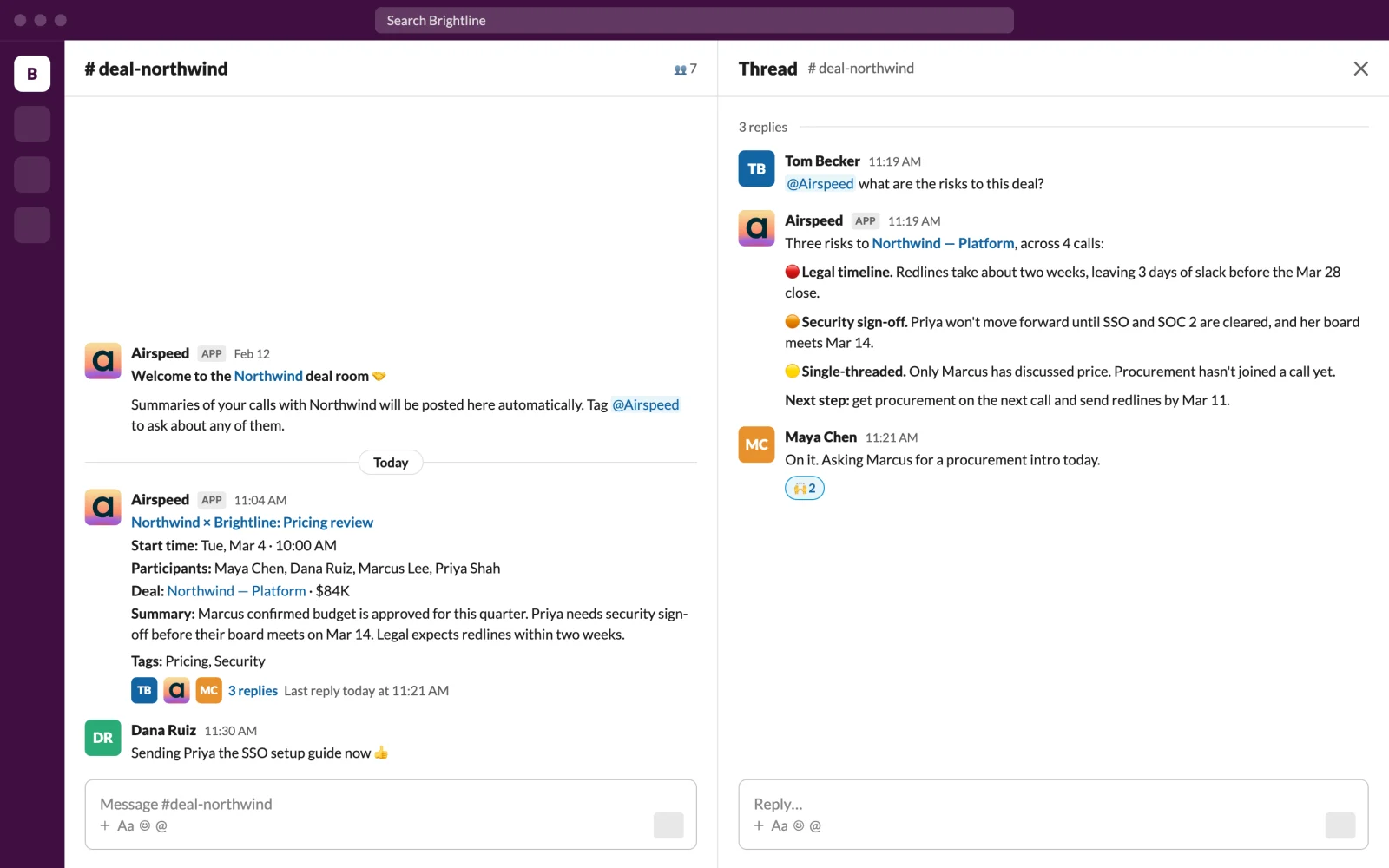
Give every deal its own room
Create a deal channel from any account in Airspeed. Call summaries post there after every call, and anyone on the deal can ask what changed.
Ask it“@Airspeed what are the risks to this deal?”
Keep deals moving
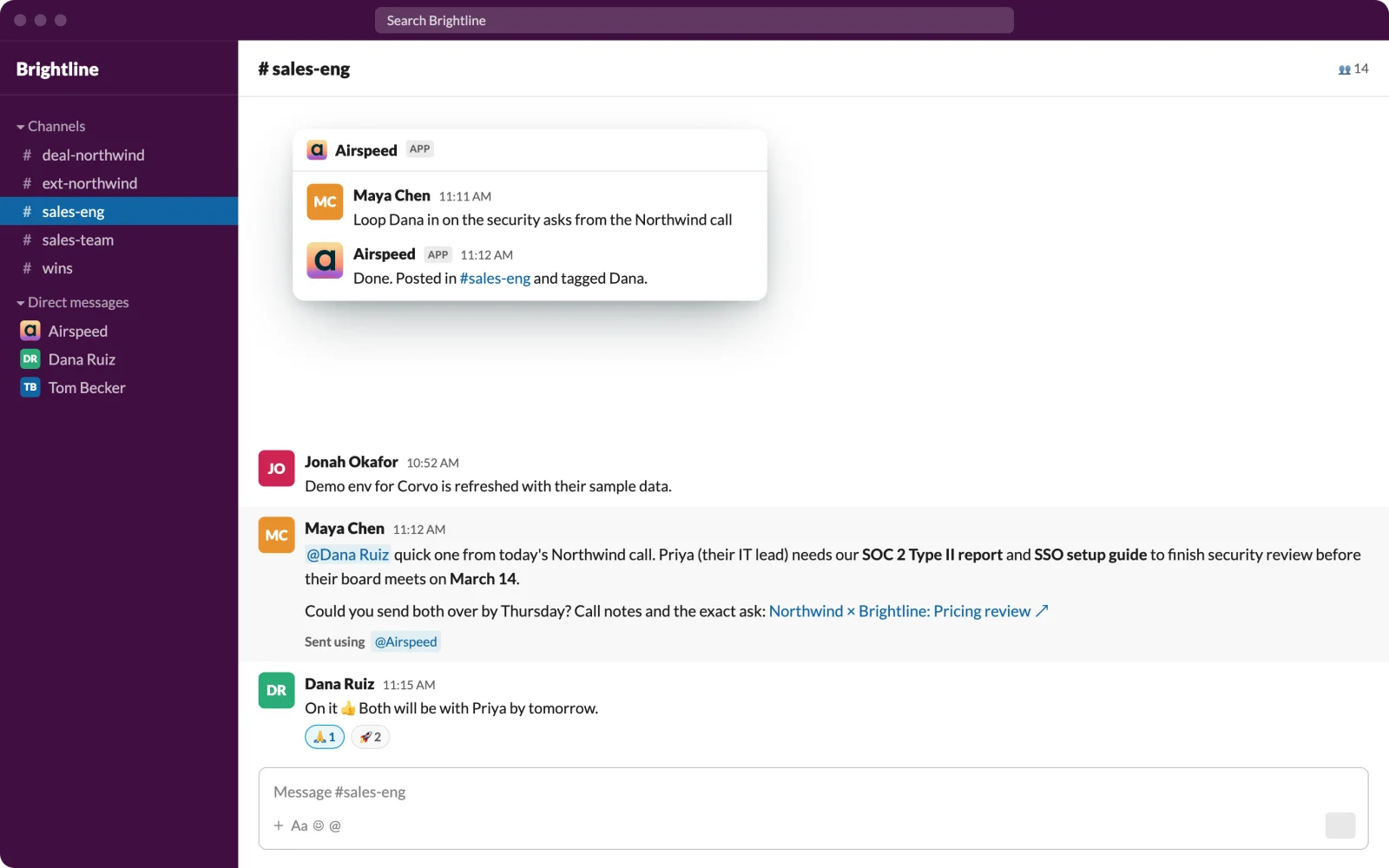
Connect your own Slack account and Airspeed posts follow-ups and handoffs for you, with the context attached. It posts only when you ask.
Ask it“Loop Dana in on the security asks from the Northwind call.”
Also in Slack
The updates come to you
Call summaries
Summaries, tasks and key insights posted to the right channel, routed by call tag, participant or account.
Call prep
A prep sheet in your DMs before each meeting: who is attending, the last conversation and open next steps.
Weekly coaching
Strengths and focus areas from your scorecards every week. Managers get the same view for their team.
Task reminders
A daily list of what is due and what is overdue, at the time of day you choose.
Built for teams
You decide what Airspeed sees
Airspeed works from your Airspeed permissions and the Slack access you give it.
- The Airspeed bot reads the channels it is added to and the messages sent to it
- Connecting your own Slack account is optional, and only you can do it
- Answers follow your Airspeed permissions, so private calls stay with their participants
- Messages Airspeed posts for you are marked “Sent using @Airspeed”
Get started
Connected in a few minutes
- 1
Open Airspeed settings
An Airspeed admin signs in and opens Settings, then Organizational. Slack is connected once for the whole workspace.
- 2
Add to Slack
Click Add to Slack and approve. You land back in Airspeed with Slack connected.
- 3
Pick your channels
Choose where call summaries go, or create a deal room from any account page. Then DM Airspeed your first question.
Full guide: Connect Airspeed to Slack. Questions: [email protected]. Read our privacy policy.
Airspeed uses AI and may produce inaccurate responses or summaries. Chatting with Airspeed in the AI agent container requires a paid Slack plan.
Bring every deal into Slack.
Already on Airspeed? Connect Slack in a few minutes. New here? .
Frequently asked questions
Do I need an Airspeed account?
Yes. Airspeed is where the calls, deals and coaching come from. If you are new, book a demo and we will set you up.
Do I need a paid Slack plan?
Chatting with Airspeed in the AI agent container requires a paid Slack plan. Call summaries, deal rooms, prep sheets, coaching and @Airspeed mentions in channels work on every Slack plan.
Can Airspeed get things wrong?
Yes. Airspeed uses AI, and it may produce inaccurate responses or summaries. Check important details against the call or record it links to.
What can Airspeed see in Slack?
The bot sees the channels it is added to and the messages you send it. If you connect your own Slack account, Airspeed can also search the messages and channels you can access to answer your questions.
Can Airspeed post as me?
Only when you ask, and only after you connect your own Slack account. Every message it sends for you shows “Sent using @Airspeed” underneath.
Which CRMs does it work with?
Salesforce and HubSpot. Deal stages, amounts and close dates in Slack answers come straight from your CRM.
Thank you!
We'll email you a scheduling link shortly.
We're probably not the best fit at this point.
Thanks for taking the time to tell us about your team. Airspeed is built for revenue organizations with larger GTM motions right now.
Run Airspeed on your own, free for 30 days. Sign up, connect your calls and CRM, and go. No demo needed.
See the free trialStay close until we support your CRM. Join the events list and take our free sales tools with you.
See your options